A LITTLE QUIET, JUST FOR YOU
Let the evening
soften.
Listen to the rain, or pick up your podcast.
Let the sound fade on time. Look back at your night tomorrow.
Made for iPhone · iOS 18 or later
01 / A BACKGROUND FOR TONIGHT
Your kind of quiet.
Ready when you are.
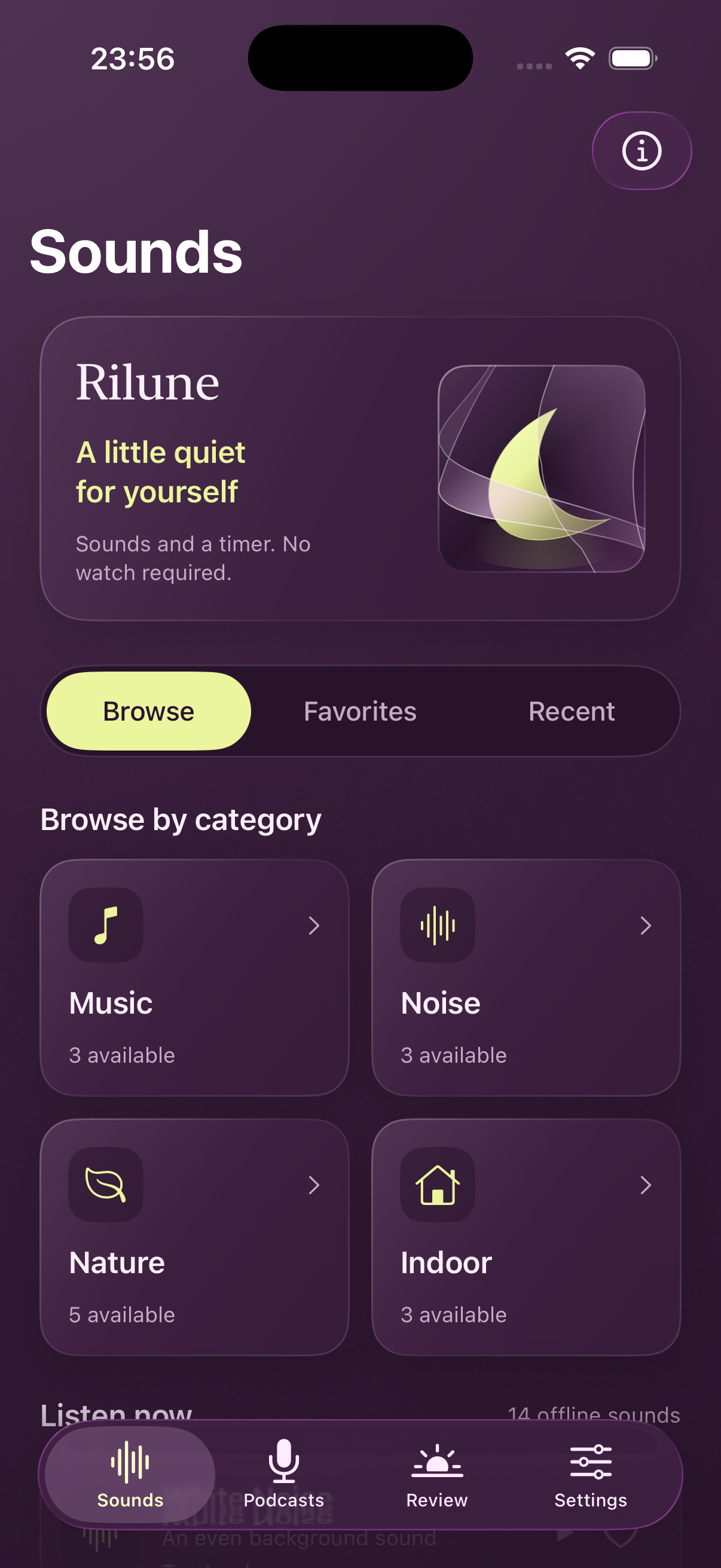
Soft rain, ocean waves, a familiar fan or a little music. All 14 sounds come with the app. Save a favorite and find it again tomorrow.
Sounds work offline. Browse here; listen in the app.
Nature
5 sounds- Rain at the WindowSoft rain
- Roof RainRainfall
- Distant OceanGentle waves
- StreamFlowing water
- Gentle Night BreezeWoodland breeze
Noise
3 sounds- White NoiseEven
- Pink NoiseSoft
- Brown NoiseDeep
Indoors
3 sounds- FanSteady airflow
- Steady CabinLow background
- DryerGentle tumbling
Music
3 sounds- Moonlight LullabyInstrumental
- Starry BoatInstrumental
- Forest GoodnightInstrumental
02 / SET IT, THEN SETTLE IN
An ending for the sound.
One less thing to mind.
Choose 30, 60 or 90 minutes. Turn on Quiet Fade to gently lower the sound over the final 10 minutes, then stop. Start an observation on Apple Watch to let sustained stillness fade and stop playback earlier. Want to keep listening? Cancel the current automatic stop.
Switch sounds or podcasts without changing the current deadline.
APPLE WATCH / QUIET FADE
Lower your wrist.
Let the sound soften.
Start playback on iPhone, then start an observation on your watch. Sustained stillness can fade and stop the sound earlier; stillness does not confirm sleep.
- Enable Quiet Fade on iPhone and play a sound or podcast.
- Open Rilune on your watch and tap Start observation.
- Still listening? Restore volume while keeping the original timer.
Only wrist motion is observed during this session, without reading heart rate or sleep records. Sleep review separately requires permission to read sleep data in Apple Health.
Watch and Health permissionsThe flow, in four screens
iPhone / watchOS 26.5 Simulator screens · Select an image to enlarge
Swipe to explore all 4 screens
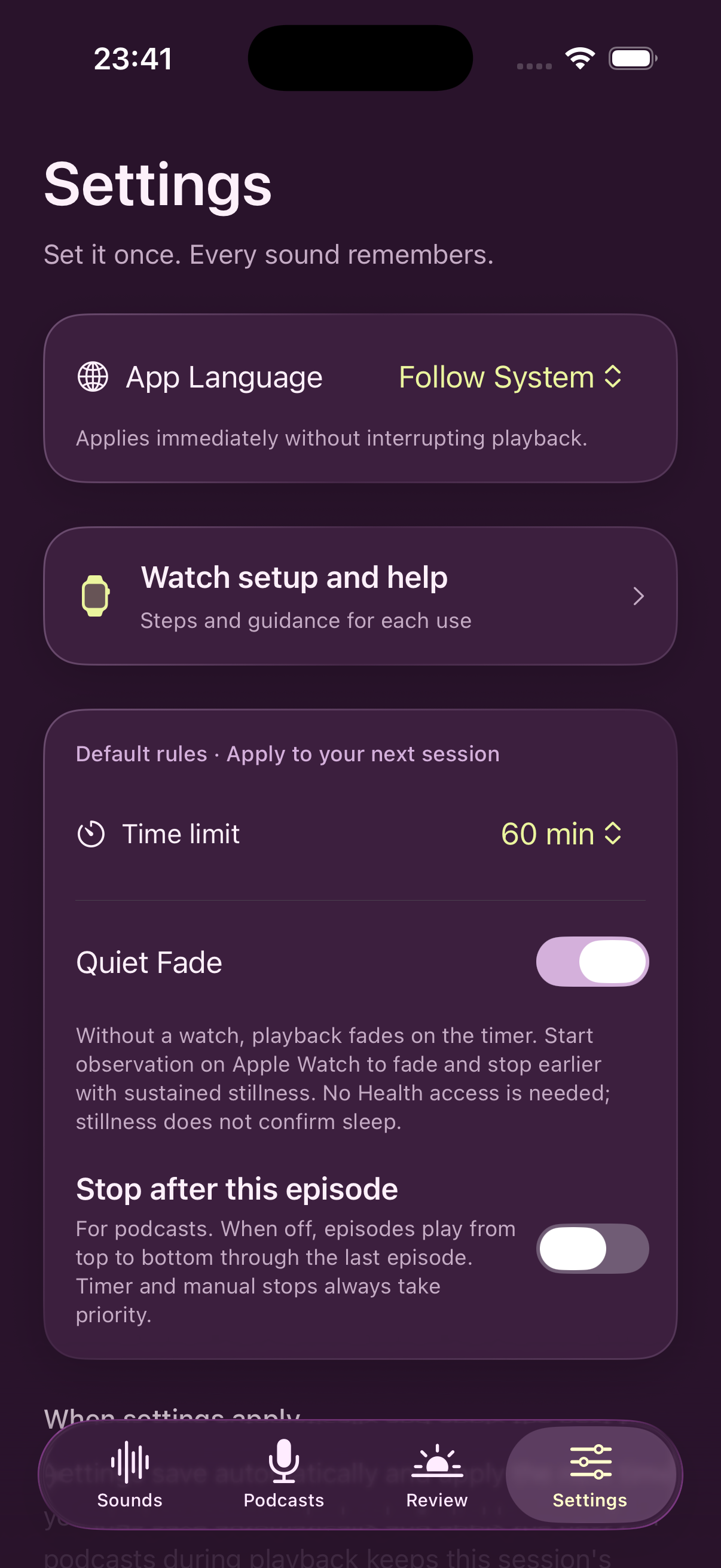
01Enable Quiet Fade Choose a playback limit and enable Quiet Fade on iPhone.
View original screenshot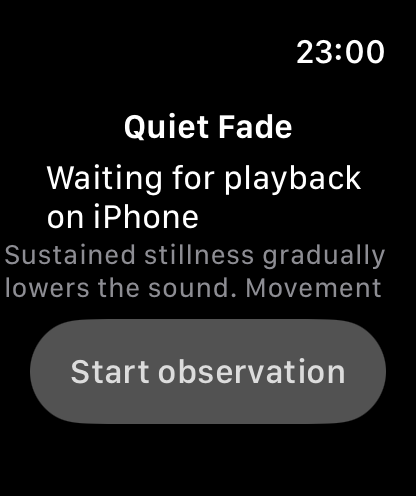
02Open on Watch Open Rilune on your paired watch. This screen is waiting for iPhone playback.
View original screenshot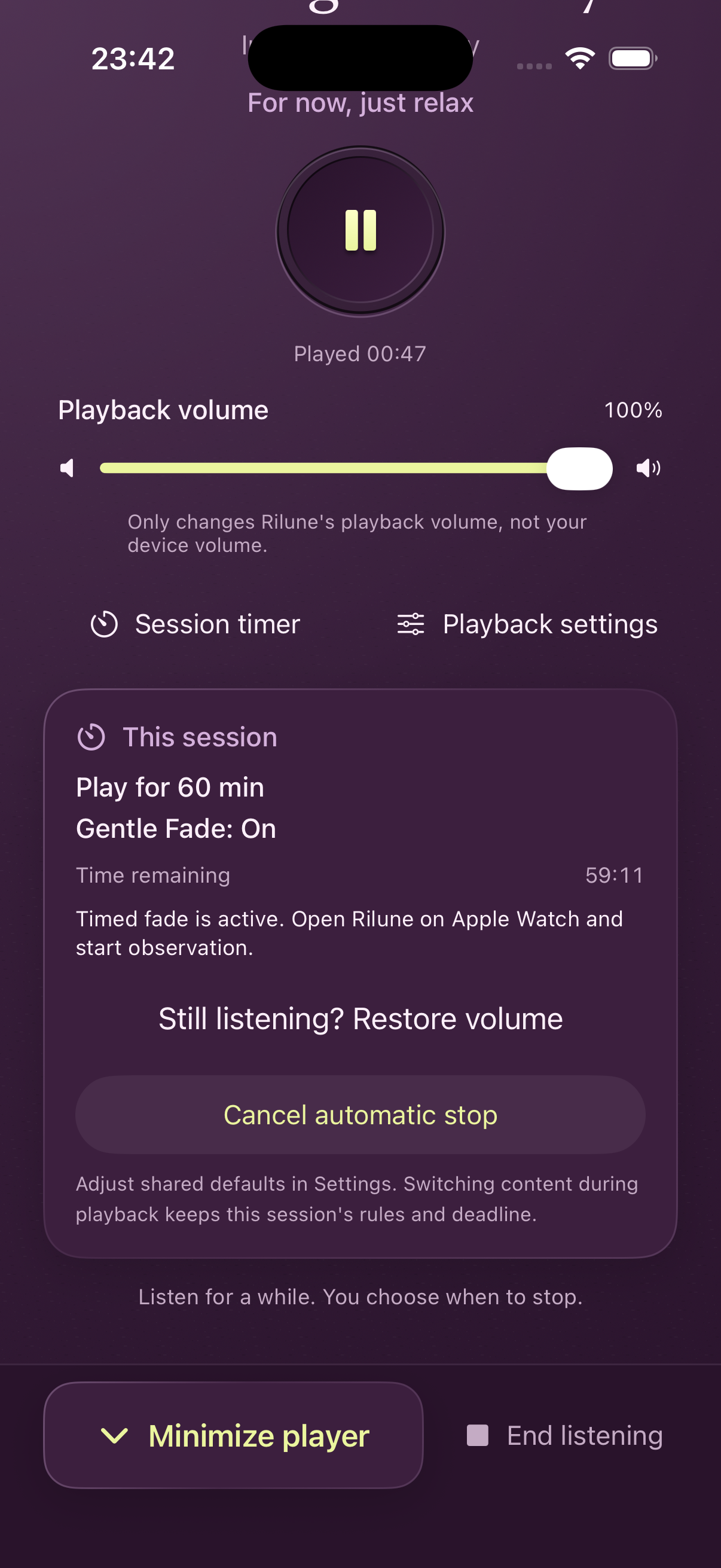
03Stay in control Check the current timer and restore volume while you are still listening.
View original screenshot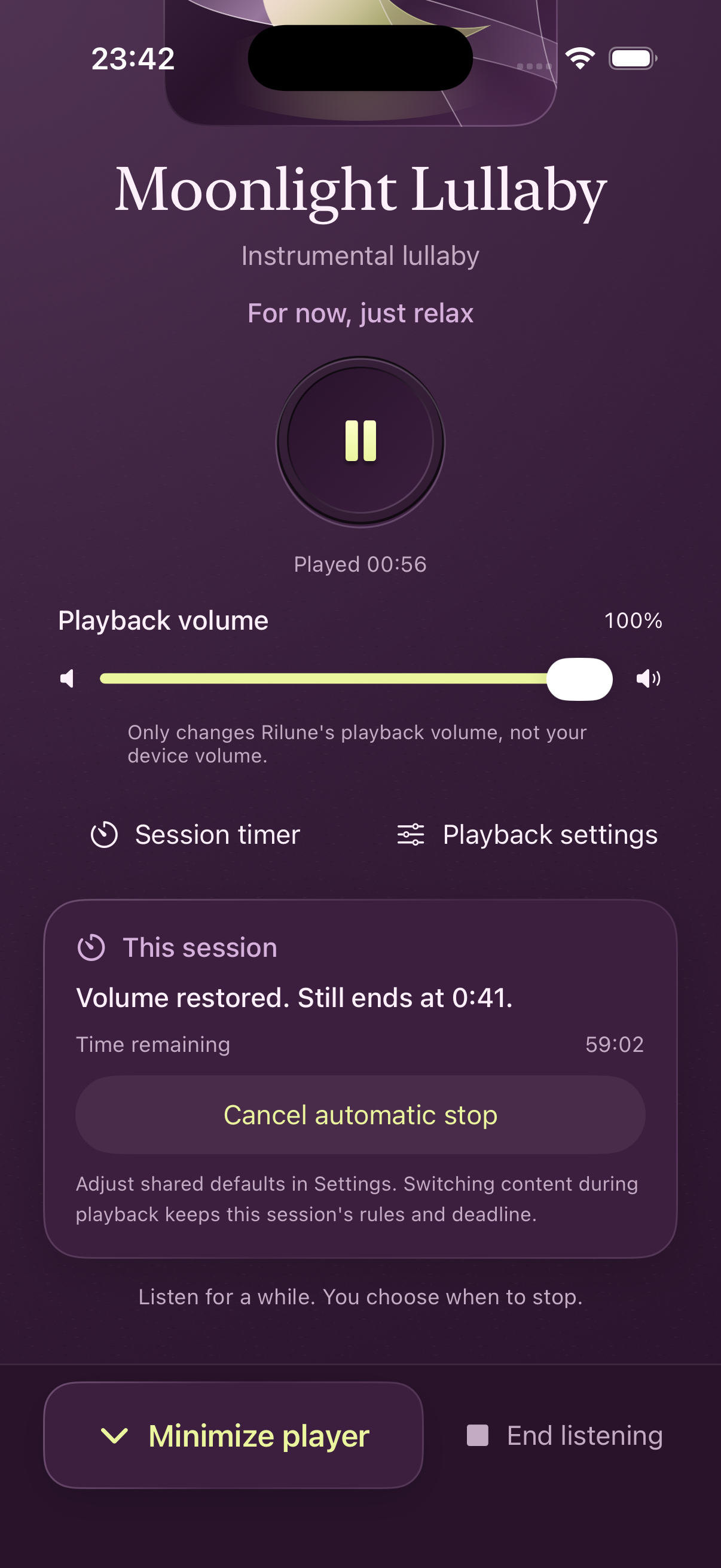
04After restoring Volume is restored while the original stopping time stays in place.
View original screenshot
Bring your own podcasts.
Import a public RSS feed and resume where you left off. Continue down the feed list, or stop at the end of an episode.
Podcasts require a network connection. Offline downloads are unavailable.
Sleep duration
Select a bar to explore a night
Interactive illustration · Not health records
03 / TOMORROW, LOOK BACK
A little perspective
on your nights.
Grant read permission for sleep records in Apple Health to view your existing sleep records. Explore 7 or 30 nights, then select a date to see available sleep periods, stages and listening records.
Look across nights
Review trends in sleep duration and sleep-start time.
Look at one night
Select a date or use the calendar to open available details on the same page.
Add how you feel
Rested, somewhere in between, or still tired: leave your own morning note.
Missing dates stay empty. Rilune provides retrospective review. Real-time sleep detection and stopping when you fall asleep are unavailable.
LESS FUSS. MORE PRIVACY.
Your nights stay on your device.
Sleep records are processed on your device and cleared from memory when you leave Review. Preferences, favorites and morning feelings are stored locally. No Rilune account is needed.
How your information is handledLeave a little room for tonight.
A sound, a podcast. Begin at your own pace.
Coming to the App StoreMade for iPhone · iOS 18 or later